
Decks
How decks work
Everything you can do inside a deck: read the cards, hear them, say them, keep them, write on them and test yourself.
Zhubu is a vocabulary app for Android for improving your English, Swedish and German.
The Decks tab
Find the right deck
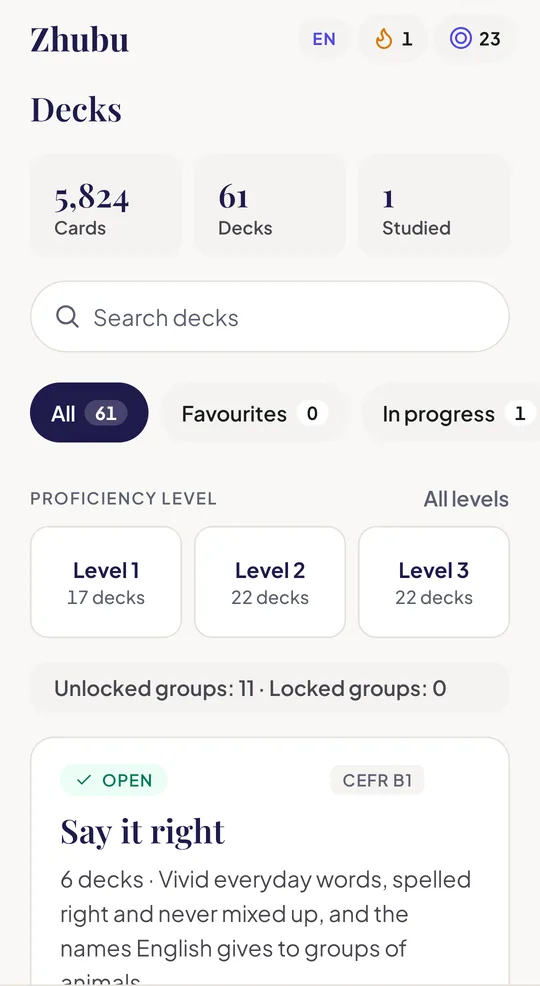
Decks are organised in groups. The tab shows how many cards and decks your study language has, and how many you have studied.
Search and filter
Search by name, or filter by All, Favourites, In progress, Not started, Finished, Owned or Buy. Each filter shows how many decks it holds.
Choose a level
Tap a level to see only its decks, and tap it again to clear it. Reset clears every filter at once.
Mark favourites
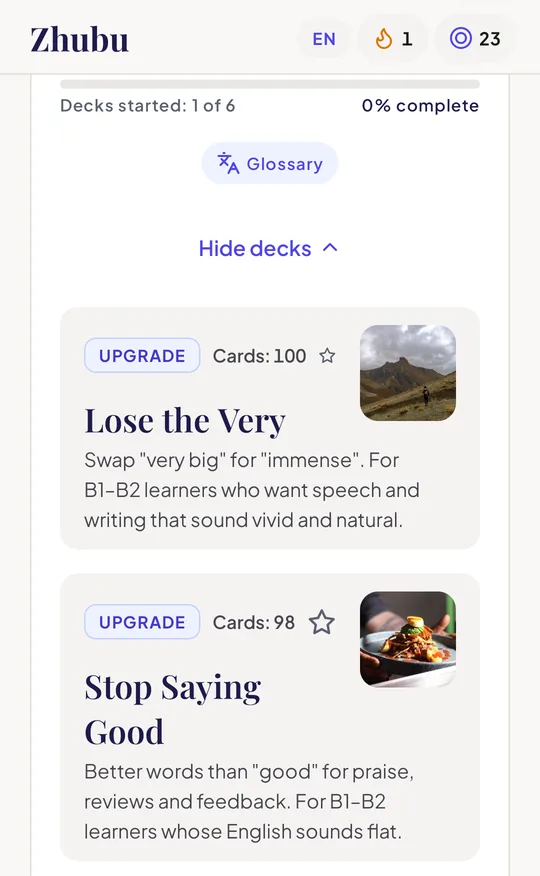
Tap the star on a deck to find it again under Favourites. Favourites are kept on your phone.
Open a group
Each group shows its level, what it covers and your progress. Show the group's decks lists them; tap one to open it.
Look a word up
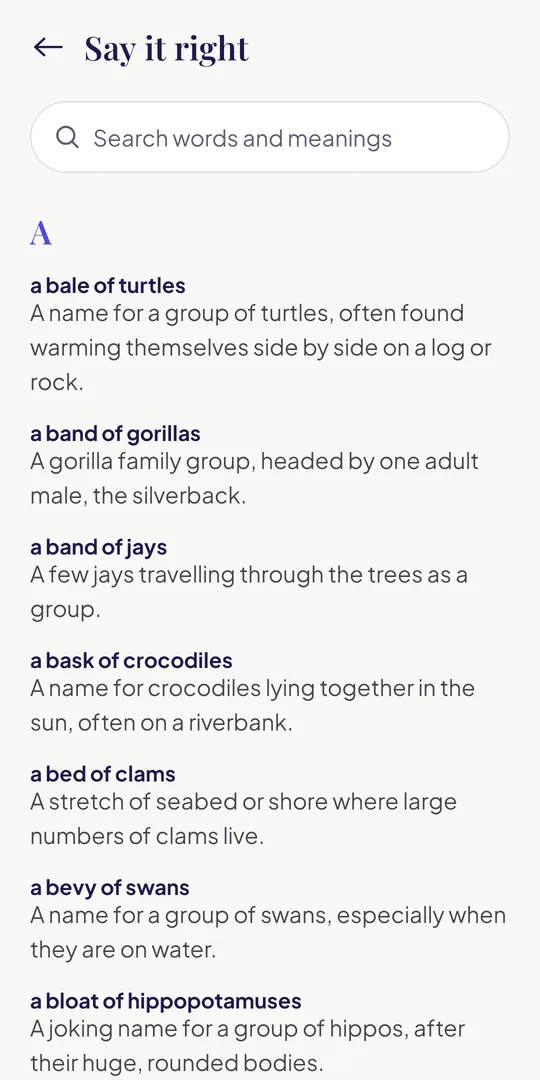
Groups you can open have a Glossary: every word of the group with its meaning, in an A–Z list you can search.
Unlock a paid group
A paid group is unlocked whole, with tokens, and opens all its decks. See what's included shows them first. How to spend tokens
The tour
From the deck page to the last card
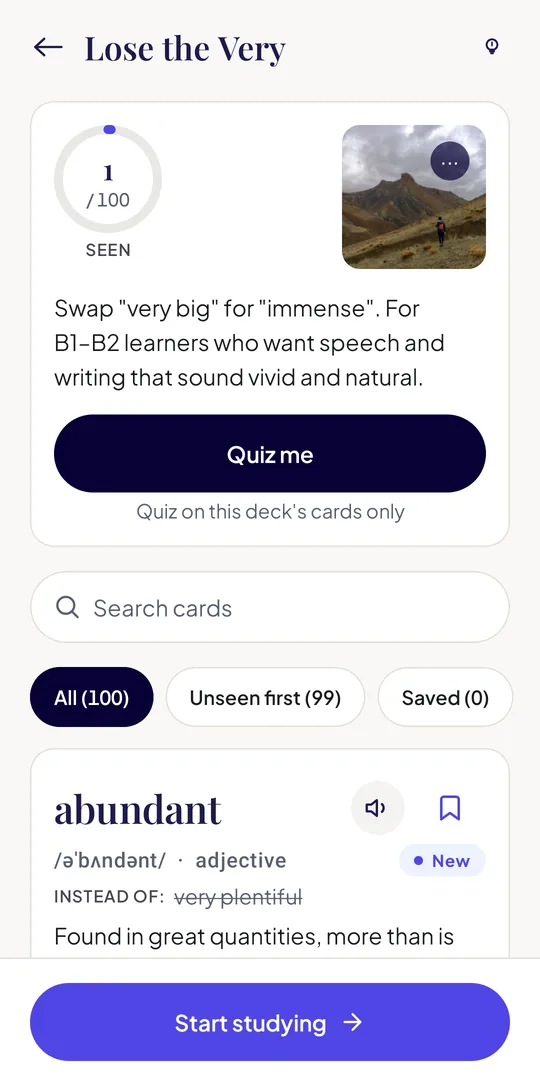
- Open a deck from the Decks tab or from Home. Its page shows the cover and what the deck teaches.
- Browse the card list. Every card in A–Z order with its meaning. Search it, or switch between All, Unseen first and Saved.
- Tap a card to study. Swipe left for the next card and right for the previous one. Cards you have looked at are marked as seen.
- Use the buttons on the card: Listen, Say it, Save and Note, described below.
- Quiz yourself with Quiz me on the card list, or when you reach the last card.
First time in a deck? The lightbulb on the card list opens a short guide to moving around.
The card
What a card shows
Each card type has its own layout (see card types); a card shows only the parts it has.
Word and sound
The word and its part of speech, with its pronunciation where the card has one. Swedish and German cards add grammar forms: a noun's gender (en or ett; der, die or das) and plural, a verb's forms, an adjective's forms.
Meaning and example
What it means and an example sentence that always stays in the language you are studying. Many cards add the word's other senses and the fixed expressions it is used in.
The story behind it
Where the word comes from and a did-you-know note. Upgrade cards show the plain word they replace; pair cards show when to use each word.
Your help language
If your help language is different, the meaning gets a line in it underneath, and the did-you-know and word history are shown in it. The word and the example are never translated. English help on a Swedish or German card is written by us; other help languages are translated on your phone.
A picture
Most word cards have a photo that shows the idea, credited to its photographer.
Report a mistake
At the bottom of every card. It opens an email to us with the card already named, so we can fix it.
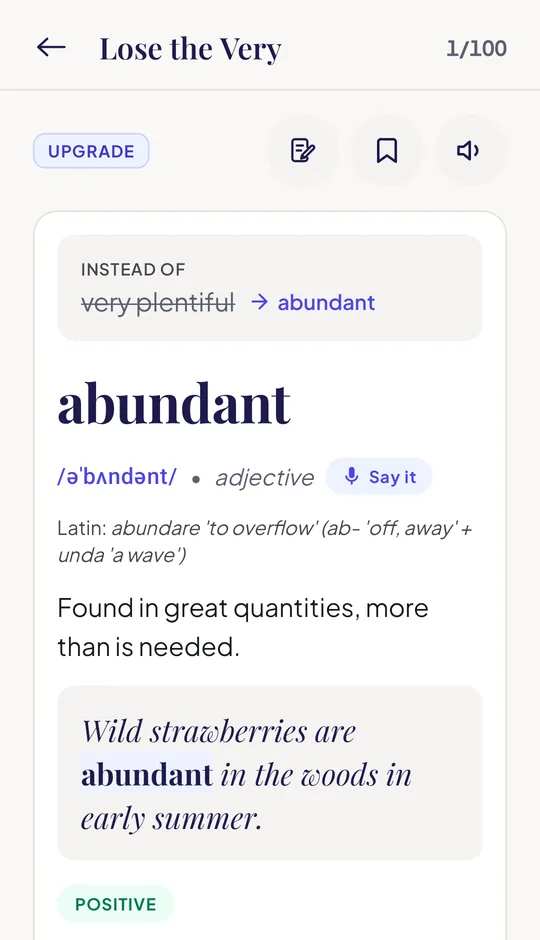
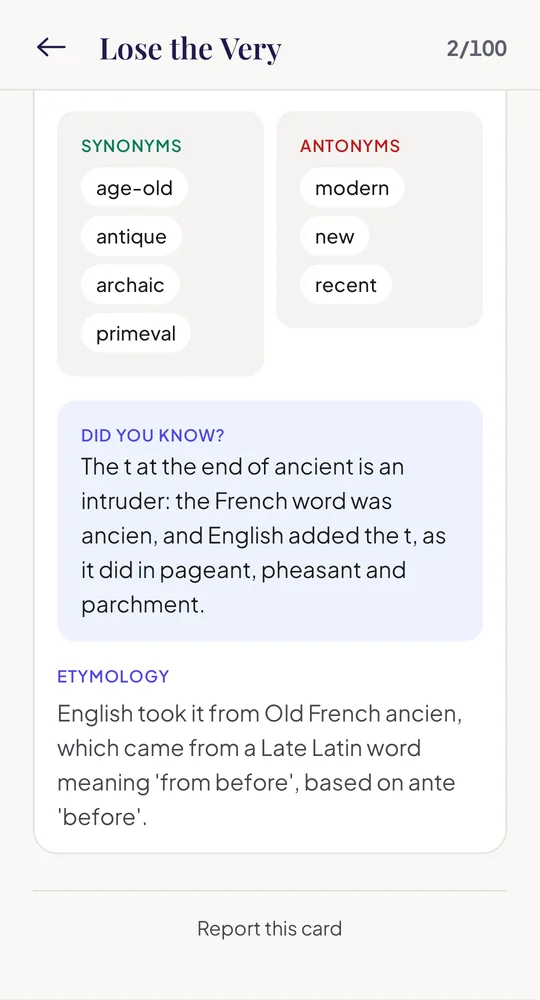
On every card
The buttons
Listen
Reads the word, its meaning and the example aloud with your phone's own voice. On a conversation or model text, Listen reads the whole text, and a tap on a line reads just that line. Moving to another card stops it.
Say it
Practise saying the word or phrase. Tap the microphone, say it, and Zhubu tells you whether your phone heard it right. With your phone's offline speech pack this happens on the phone; if the pack is missing you can download it, or choose online recognition through Google. Zhubu never receives or stores your voice. Privacy
Save
The bookmark keeps the card in your Personal lexicon, your own list of words from every deck, on Home. Study only your saved cards from there, or use the Saved filter on a deck's card list.
Note
Write a note of up to 300 characters on any card: a memory trick, your own example, where you heard it. A card with a note shows an amber dot. Notes are kept only on your phone.
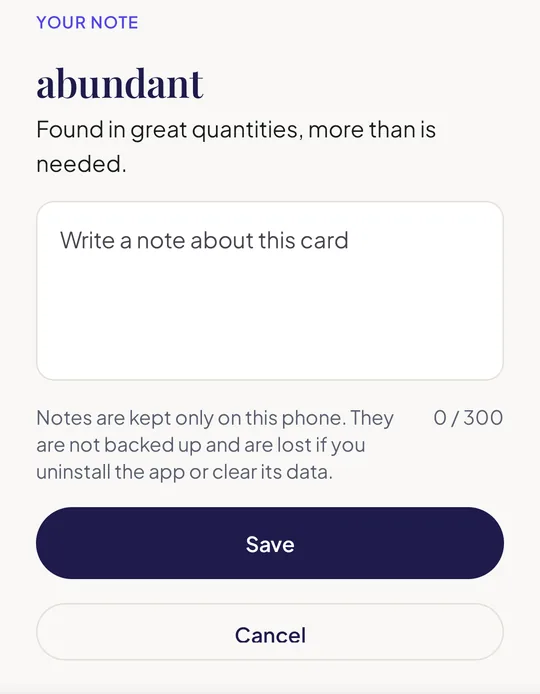
Notes
Everything you have written, in one place
- A deck with notes shows Notes (n) on its card list and deck page; You → My notes lists every note of your study language, grouped by deck.
- Search your notes by word, meaning or note text, edit them, or delete one (with Undo).
- Email sends your notes, with each word and meaning, through your own email app to anyone you choose.
- Notes stay on your phone and are not backed up. They are kept apart for each account, and are lost if you clear the app's data, uninstall it or delete your account.
Test yourself
The deck quiz and the rest of your practice
Quiz me
A free 10-question quiz on the deck, from the card list or after the last card. Each question shows the right answer and an explanation as soon as you pick. Conversation and model-text decks have no quiz: they are for reading and listening.
Review
Questions you got wrong go to Review on Home, with the card, what you picked and the right answer, so you can go over them again.
Group glossary
Many deck groups have a glossary: every word of the group in one searchable A–Z list. Open it from the group on the Decks tab.
Trials
A free practice round of questions from the study language's decks. It is not ranked and costs nothing.
The Arena
The ranked daily round, the same 30 questions for everyone. How to compete
Word of the Day
Add a Zhubu widget to your home screen for a word a day or a card from your Personal lexicon, with Listen. Once your decks are downloaded, it works offline.
Questions
Deck FAQ
Do I need an internet connection to study?
No. Decks are downloaded to your phone and work offline. A connection is needed to download new decks, for online speech recognition and to play the Arena.
Why is a deck locked?
It belongs to a paid deck group. Unlock the whole group with tokens. How to spend tokens
Does saving or writing notes cost anything?
No. Studying, listening, Say it, saving, notes, the deck quiz, Review and Trials are all free.
Say it never hears me correctly.
Speak close to the phone in a quiet place, and check that the offline speech pack for the language is installed. Recognition is done by your phone's speech service, so it can miss an accent or a rare word: it is a practice aid, not a score.
I changed phones and my notes are gone.
Notes, saved cards and Review are kept only on the phone. Email your notes to yourself before you switch.