Help
Support
Answers to the questions we get most, and how to reach a person when they are not enough.
Zhubu is a vocabulary app for Android for improving your English, Swedish and German.
zhubu@sulekhadd.app
Write in English or Swedish. For a purchase, include the Google Play order number (GPA.…).
Company
SulekhaDD AB
Org.nr 559597-8635 · Kungälv, Sweden. Data controller for Zhubu.
In the app
Where to find things
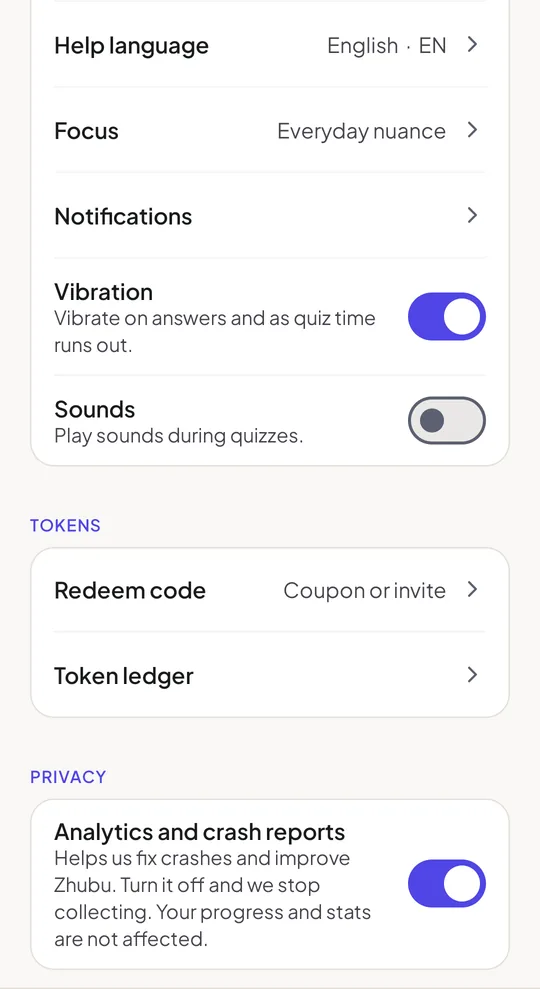
Most of what you need is on the You tab.
| You want to | Go to |
|---|---|
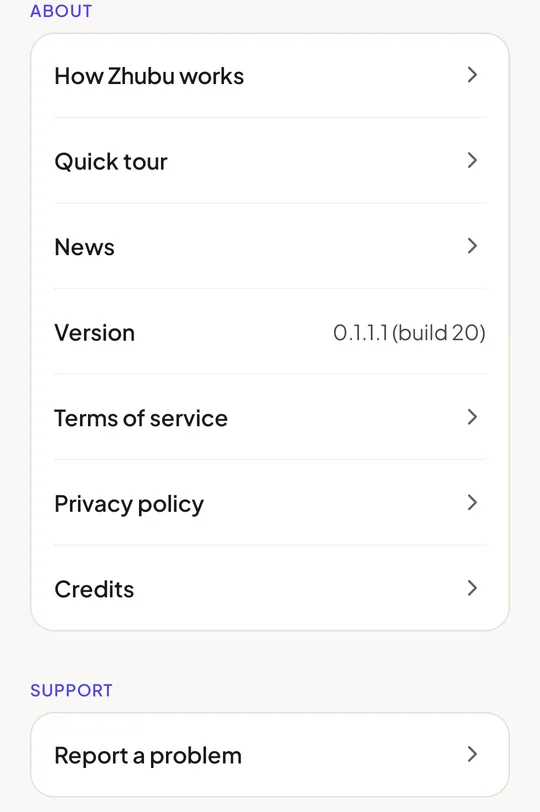
| Report a problem with the app | You → Support → Report a problem. It opens an email to us with your app version and device already filled in. |
| Report a mistake on a card | Report this card, at the bottom of the card |
| See the tour of the app again | You → About → Quick tour |
| Change your study or help language | You → Studying or Help language |
| Enter a coupon or invite code | You → Tokens → Redeem code |
| Check every change to your tokens | You → Tokens → Token ledger |
| Buy tokens, or see what they cost and how to earn them | Tap your token balance at the top of You |
| See your progress and past quizzes | You → Your stats and History |
| Find your notes | You → My notes |
| Change reminders, sounds or vibration | You → Notifications, Vibration and Sounds |
| Read the latest news | You → About → News |
| Turn analytics and crash reports off | You → Privacy |
Writing to us
Help us help you
- A purchase: include the Google Play order number (GPA.…).
- A card: use Report this card, so we know which card you mean.
- Something not working: use Report a problem and say what you tapped and what happened. A screenshot helps.
FAQ
Common questions
Can a beginner use Zhubu?
For Swedish and German, yes: both start at beginner level (A1–A2) and go up to B2–C1. English decks start at B1, for learners who already use English. See the catalogue.
Which languages can I study?
English, Swedish and German today; French is coming. Explanations can be shown in any of 58 help languages.
How do I change my study or help language?
In the app, open You and tap Studying or Help language. The app's own language follows your help language when it is available.
Is my translation sent to a server?
No. Translation into your help language runs on your phone with a downloaded language model.
How does the Arena work?
One 30-question round a day per language, 5 minutes, ranked by score and then time. Full rules.
How do I find a deck or look up a word?
On the Decks tab, search or filter by progress and level, and open a group's Glossary to search its words. How decks work.
Can I see the tour again?
Yes. Open You → About → Quick tour. It also opens by itself when you switch study language.
How do I get more tokens?
Arena and season prizes, tiers and streaks, invites, coupons or token packs. All the ways.
I entered an invite or coupon code and it was refused.
Each invite and coupon is paid once per email address, your own invite code cannot be used, and a code may have reached its limit or expired. Check the spelling (no letter O or I, no digit 0 or 1 in invite codes).
I changed phones. Is my progress gone?
Sign in with the same Google account. Your tokens, unlocked groups and Arena results are on your account. Saved cards, notes, Review and your quiz history stay on the old phone.
How do I delete my account?
In the app under You → Delete account (at the bottom), or by email. Step by step.
Can I ask for a refund?
Google Play purchases are refunded under Google Play's policy; contact us if something you paid for did not work. Tokens.
Not answered here? Look in the wiki or write to zhubu@sulekhadd.app.